MAC Mobile Return
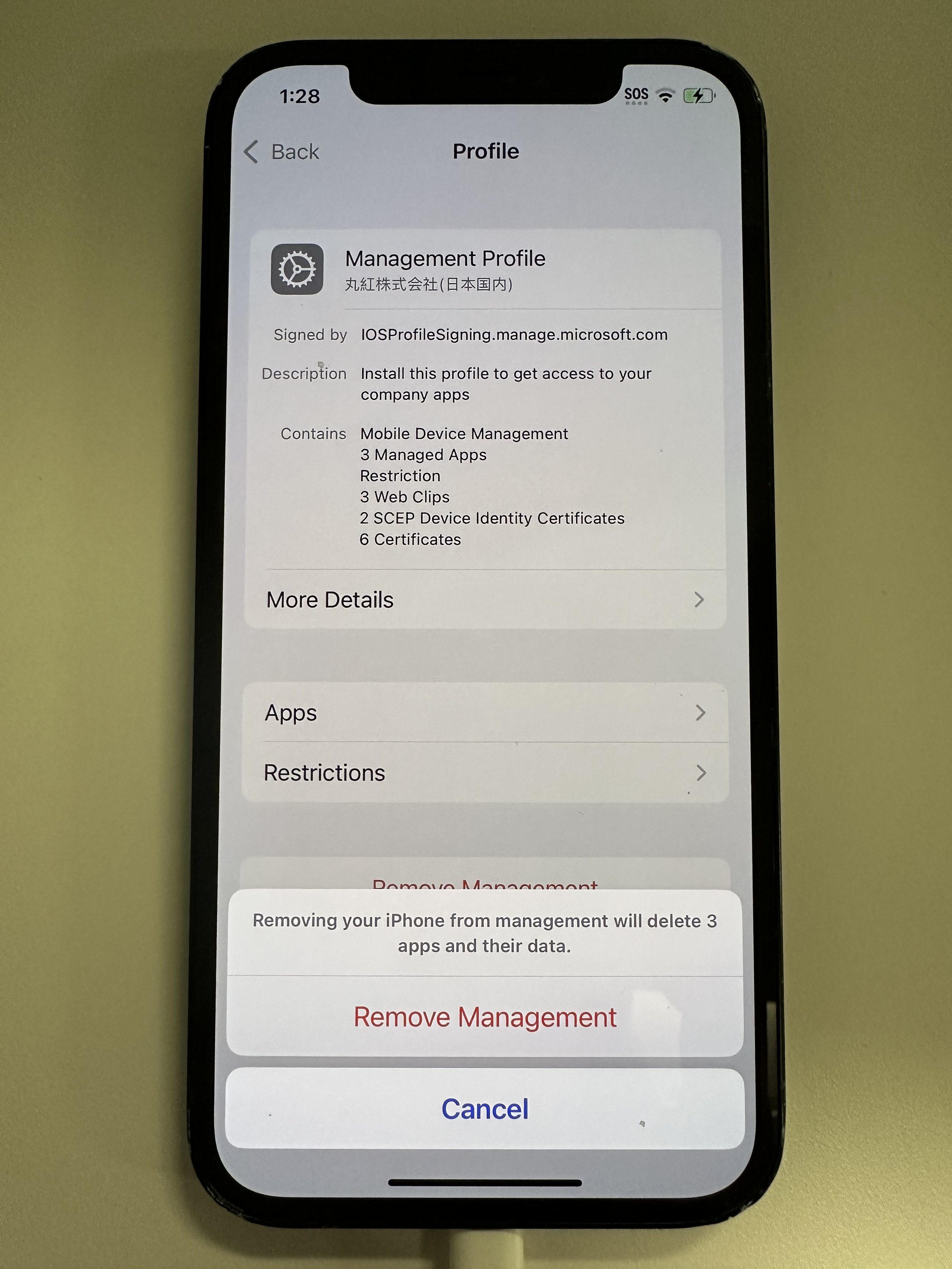
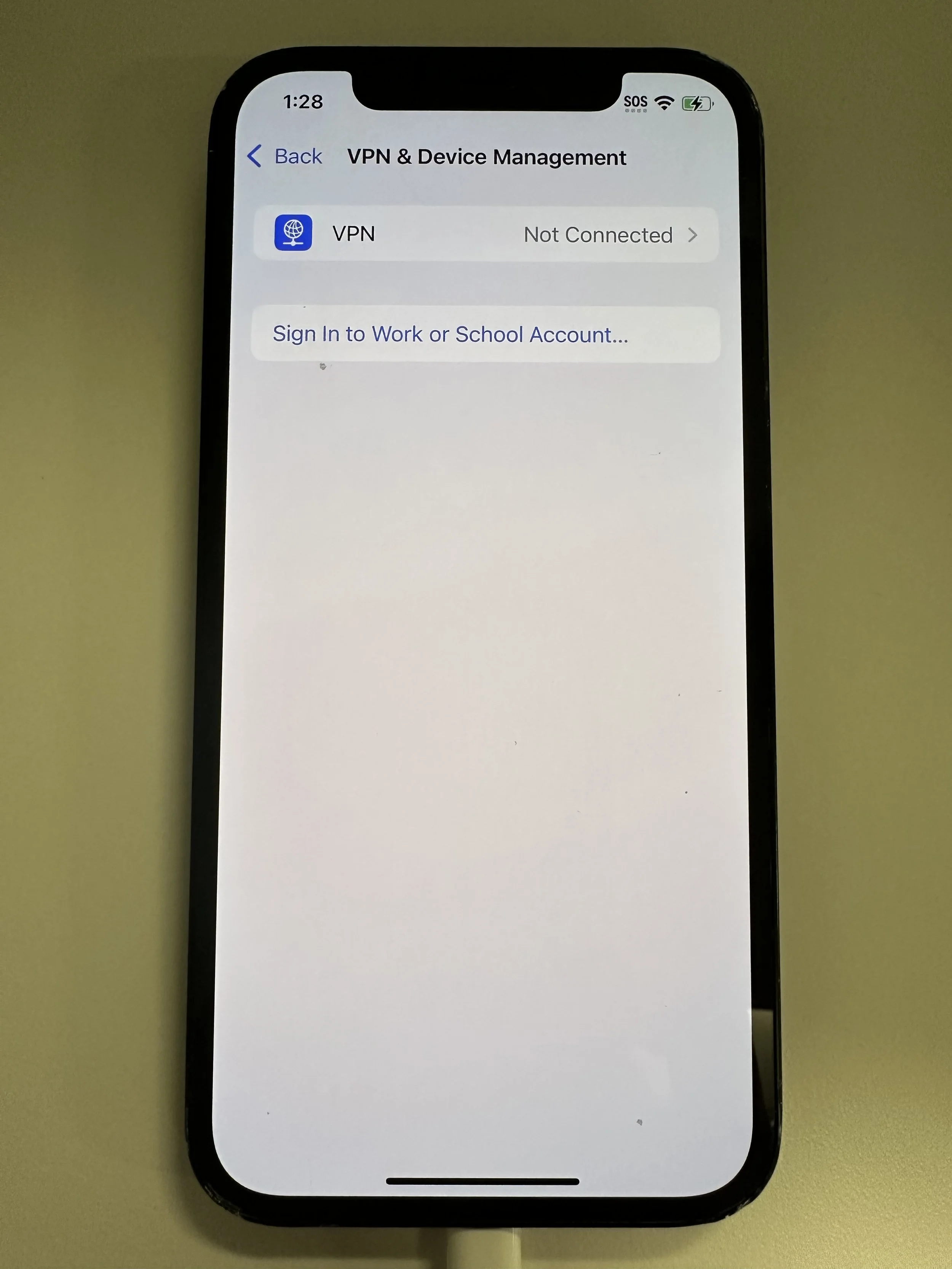
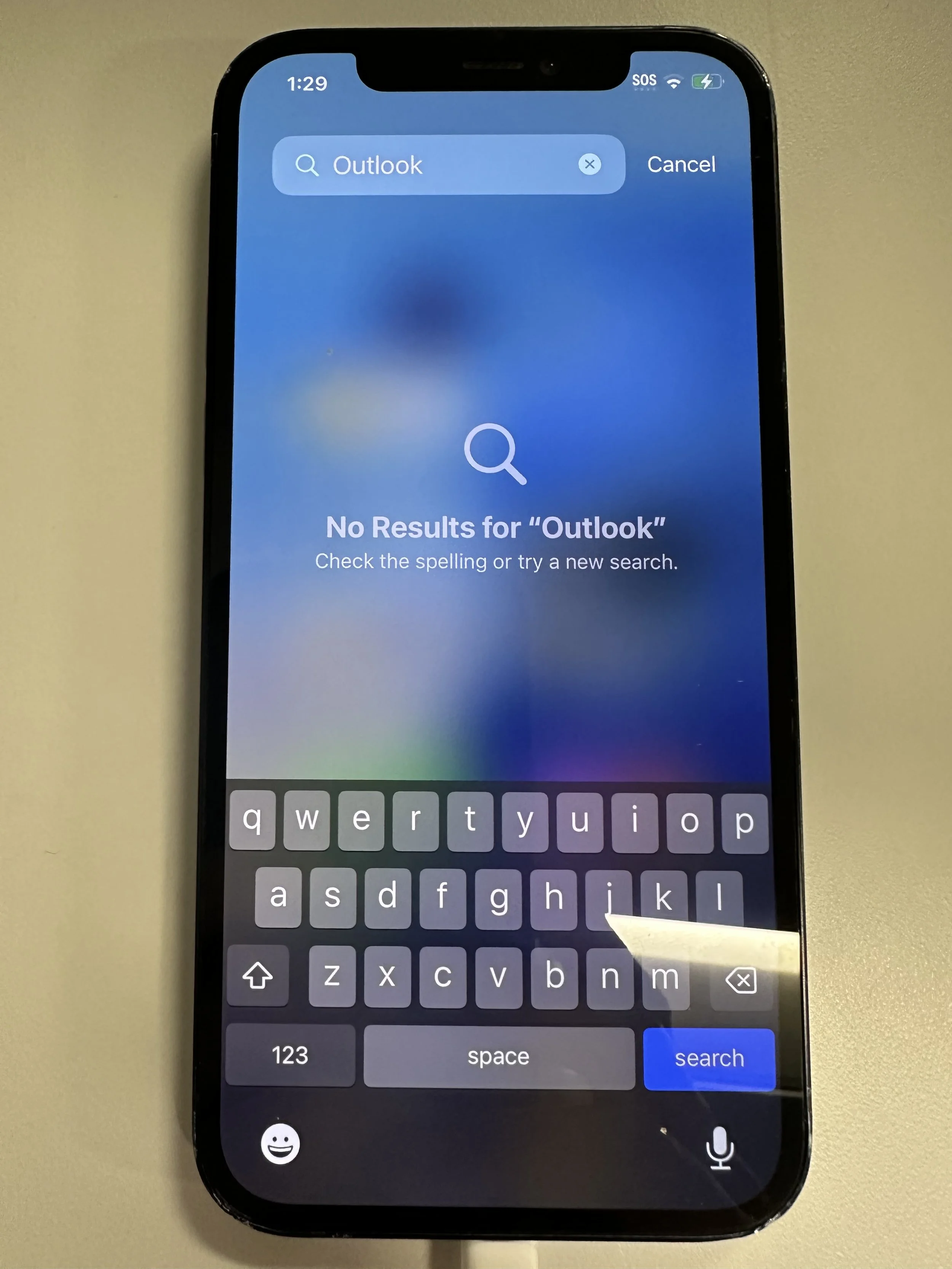
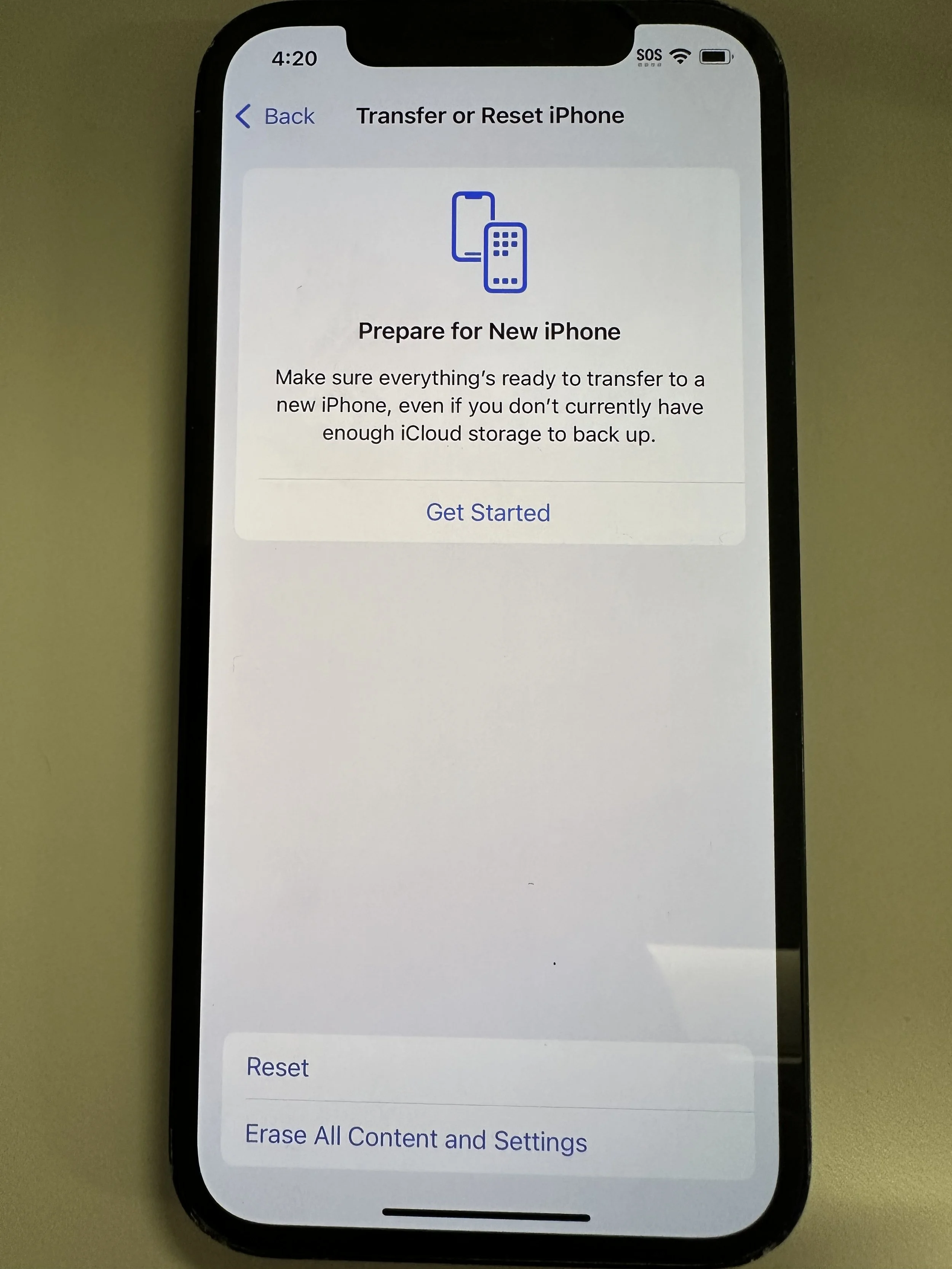
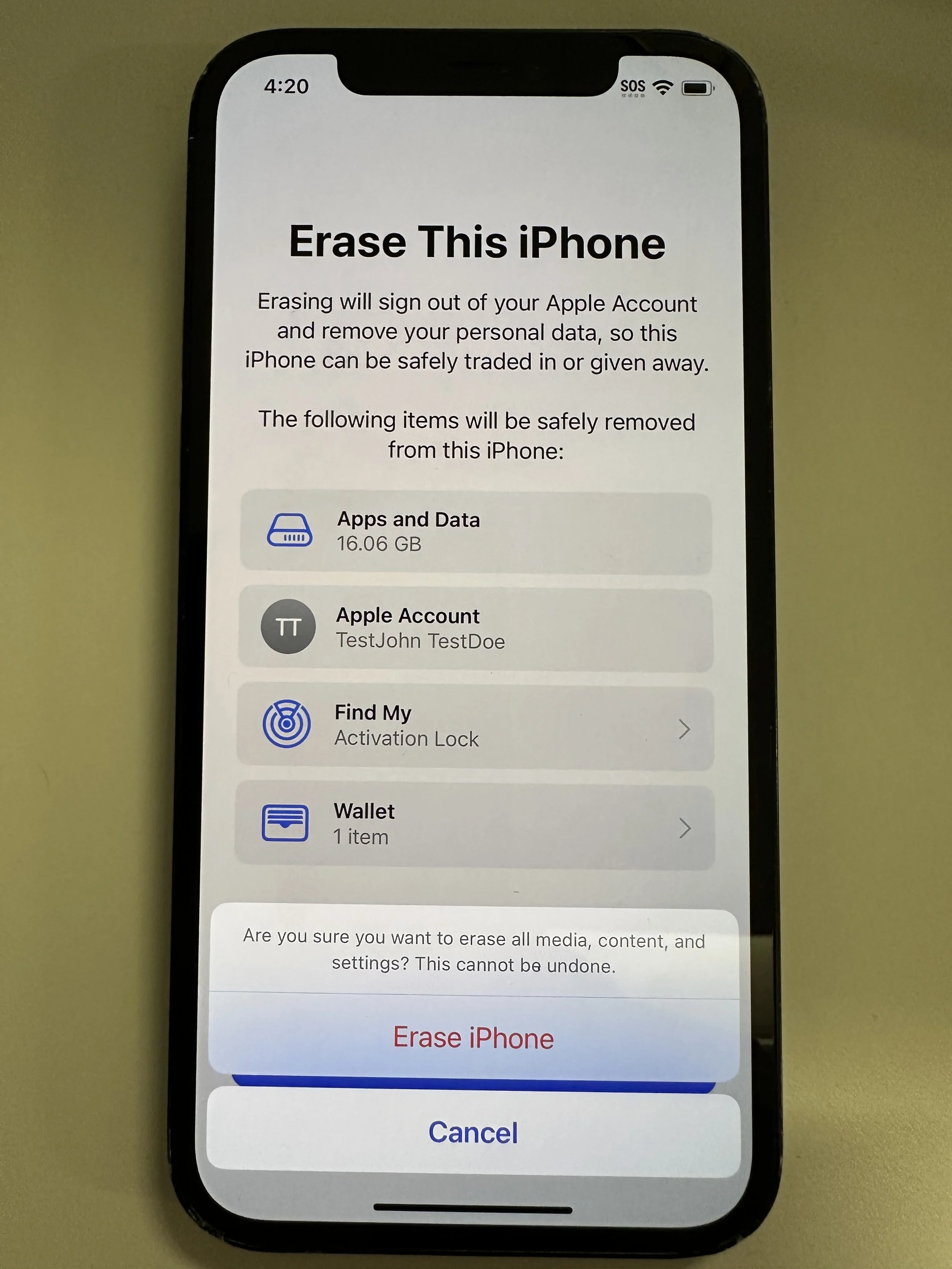
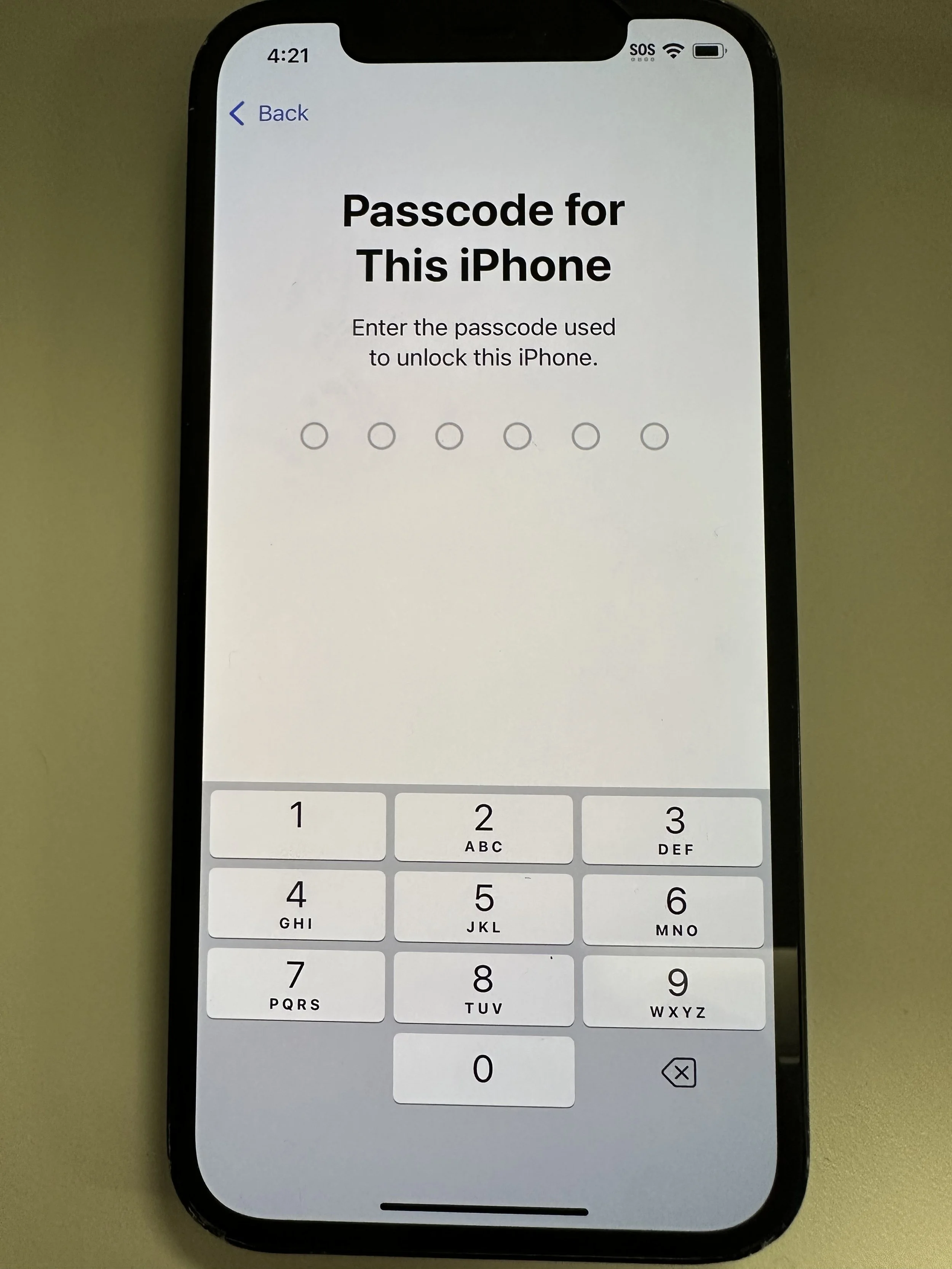
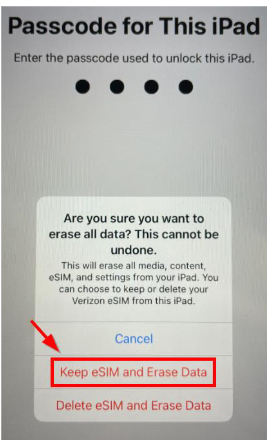
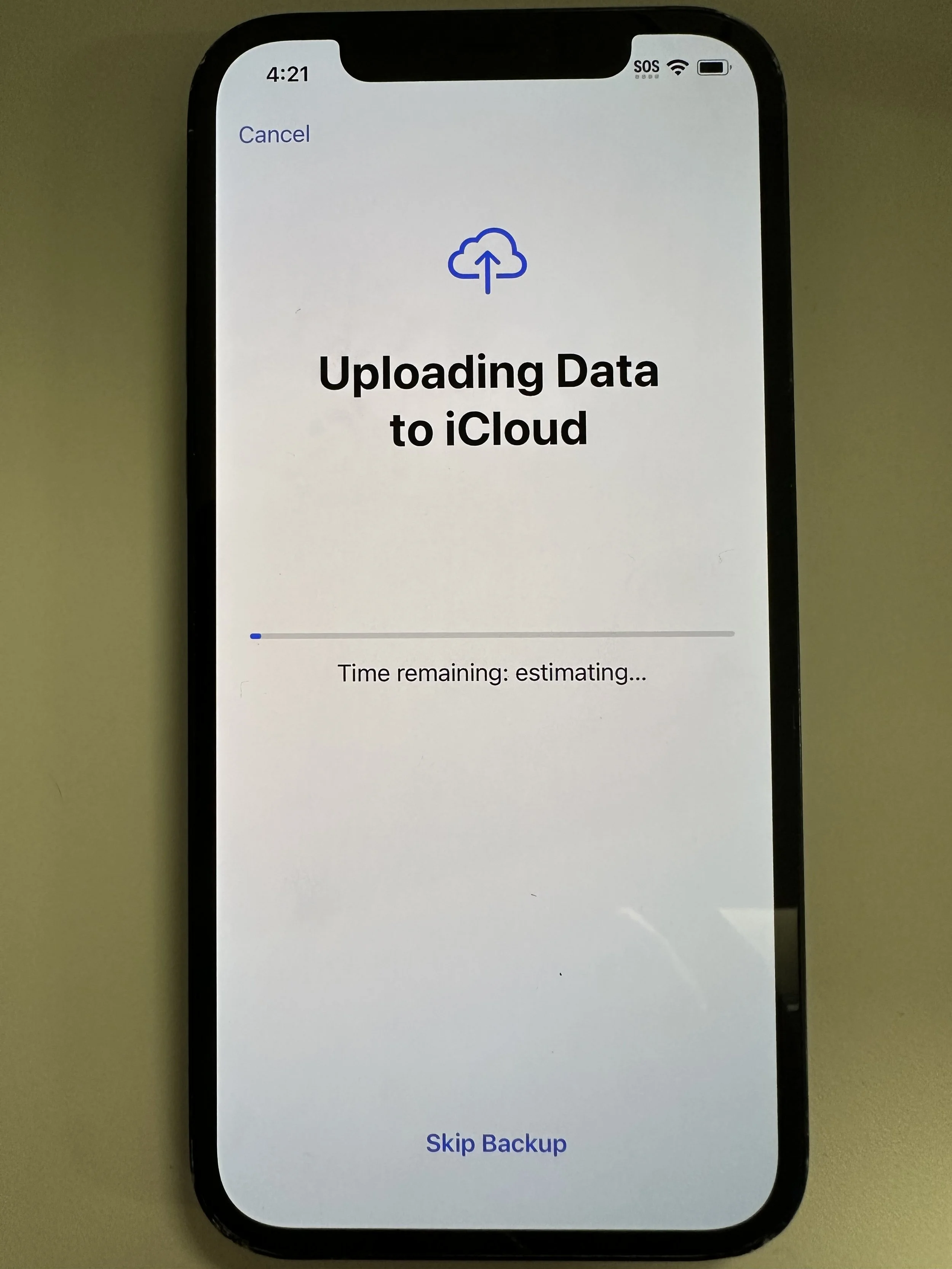
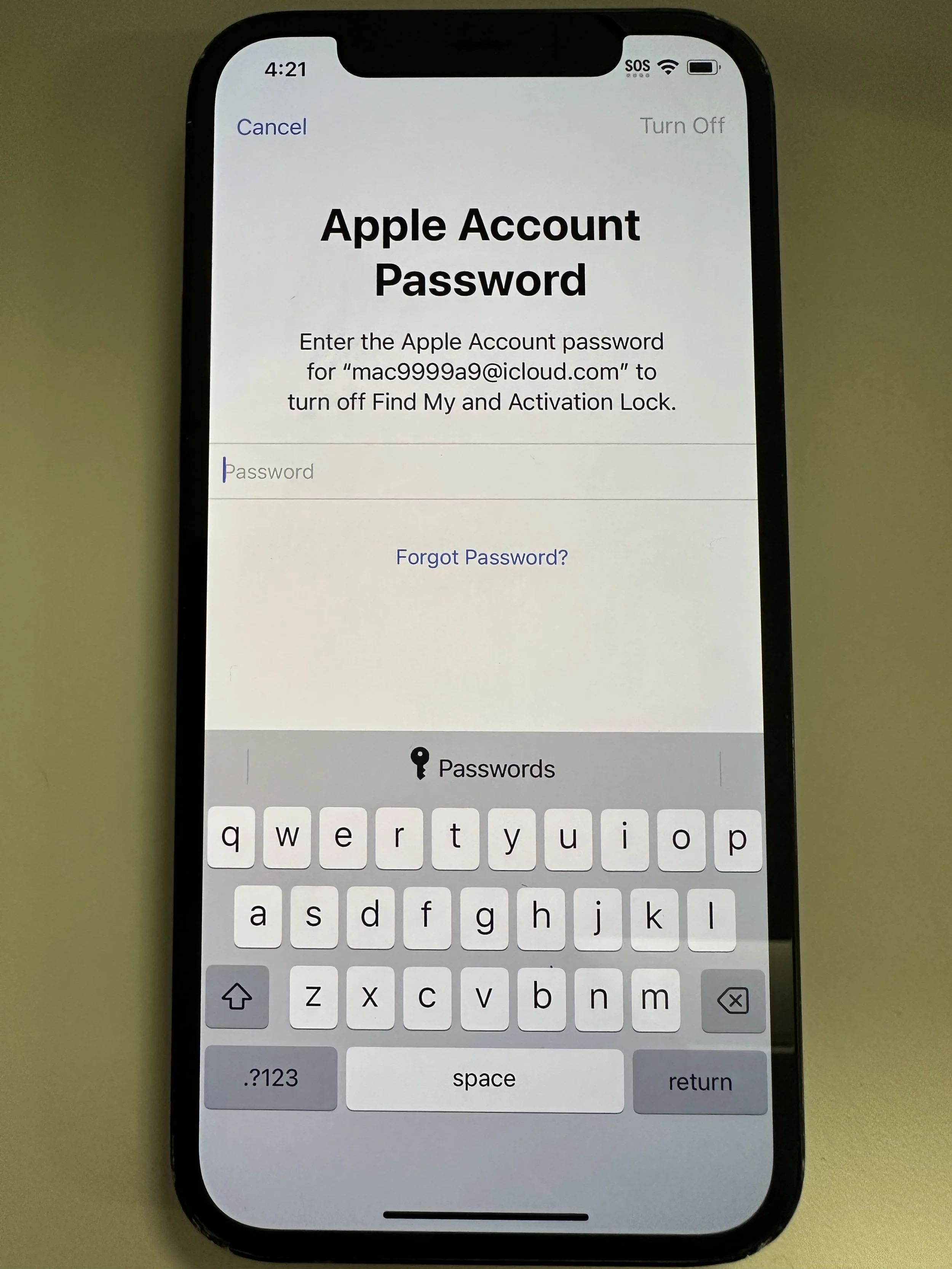
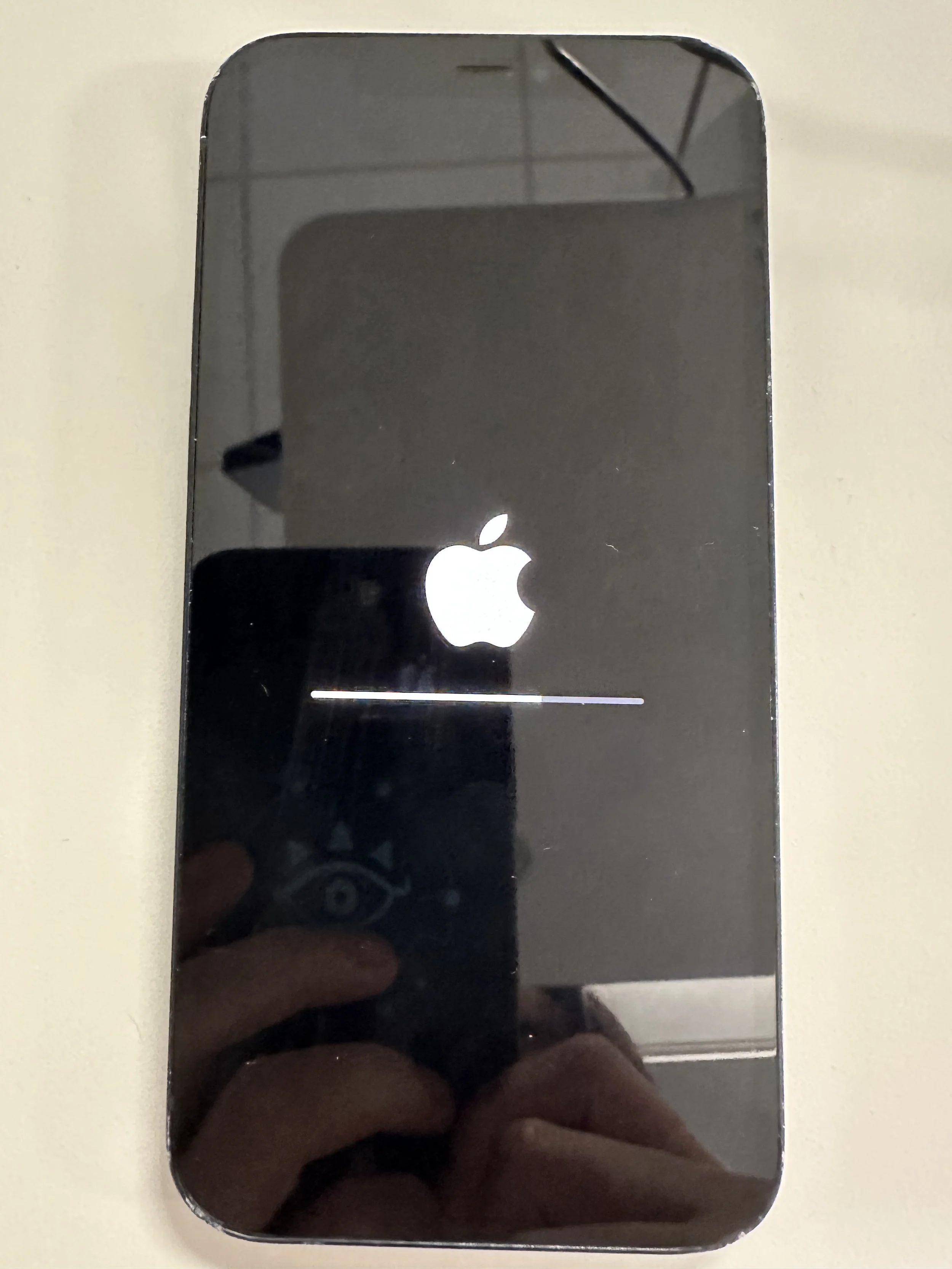
All devices must have both company management removed, and non-remote factory reset.
SYPL does not manage your Apple ID or password. If you forgot, please reset following official site.
Please return or keep in a location within the US with at least one Marubeni employee that can secure the device.
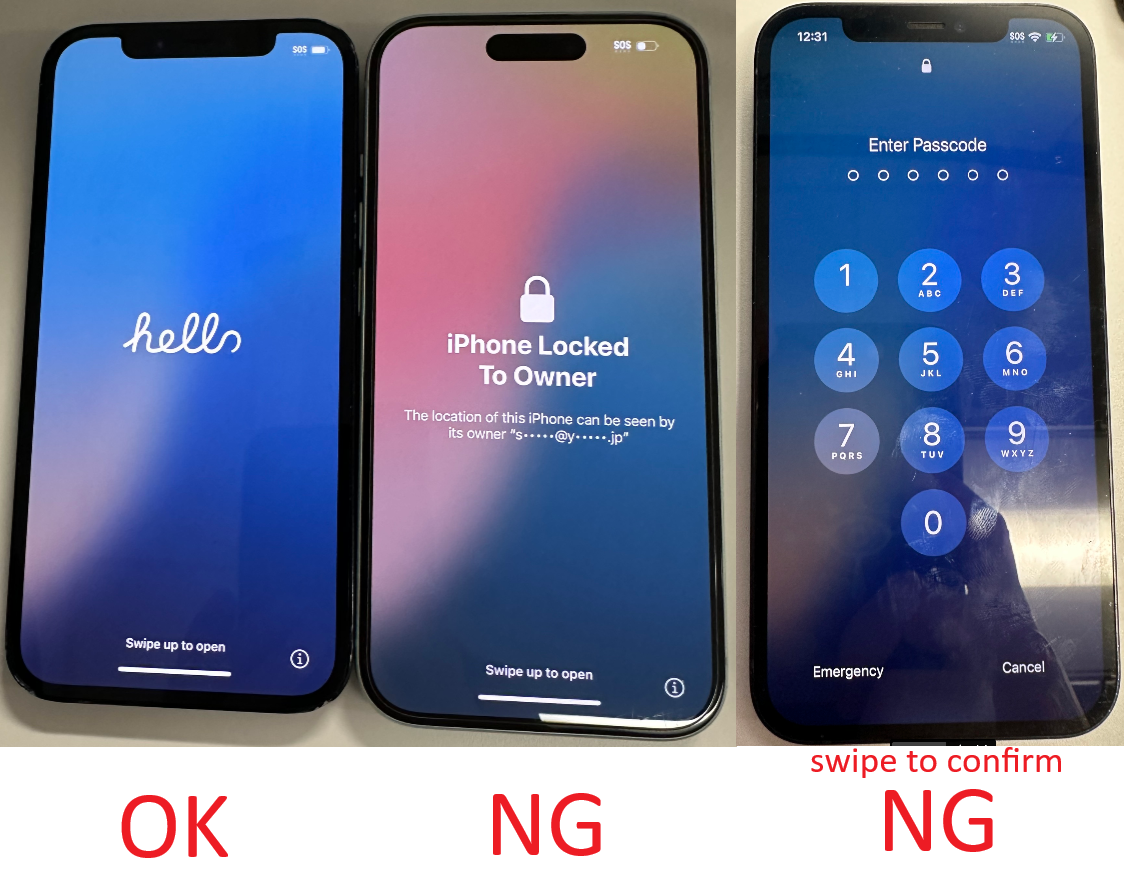
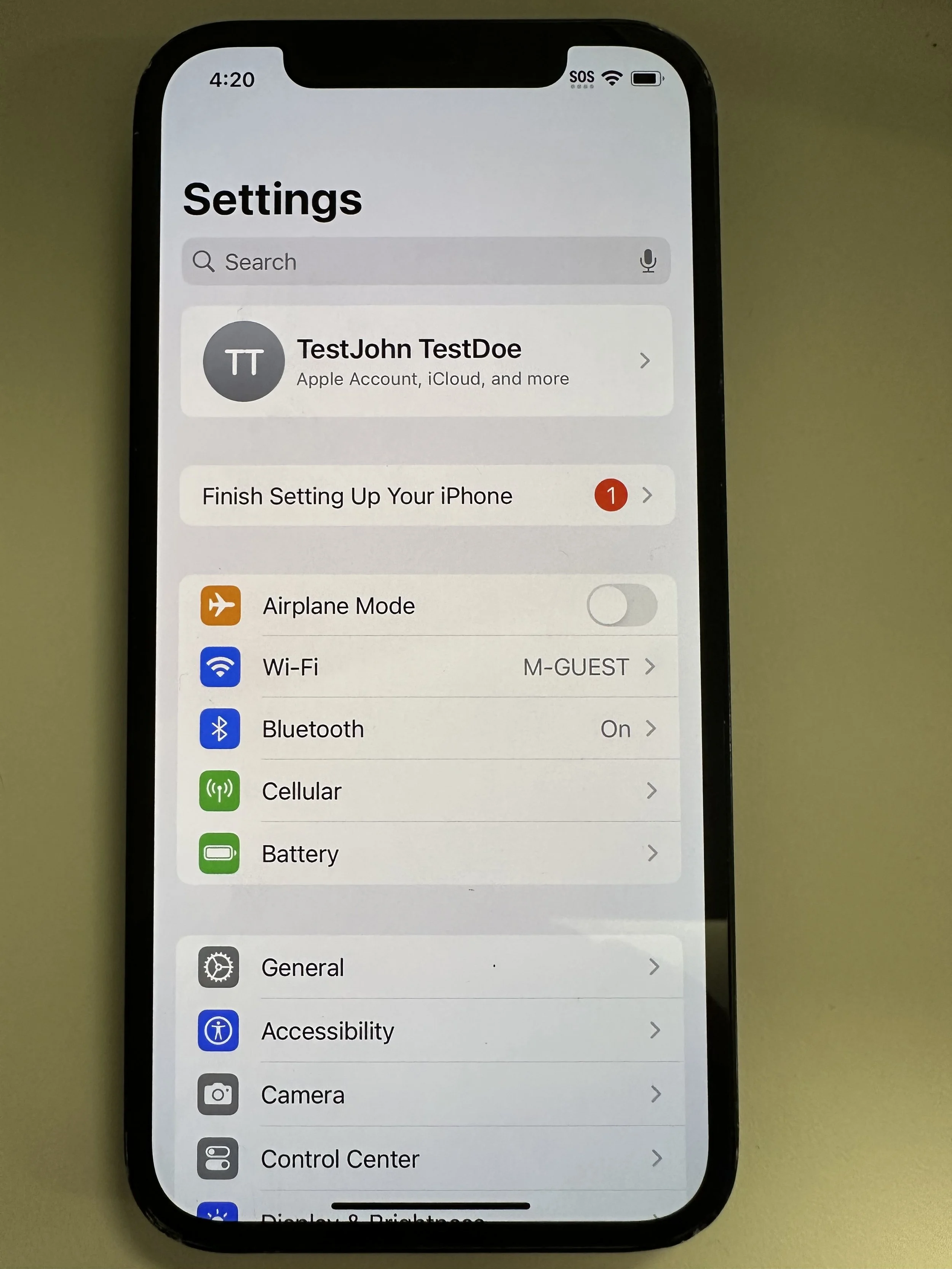
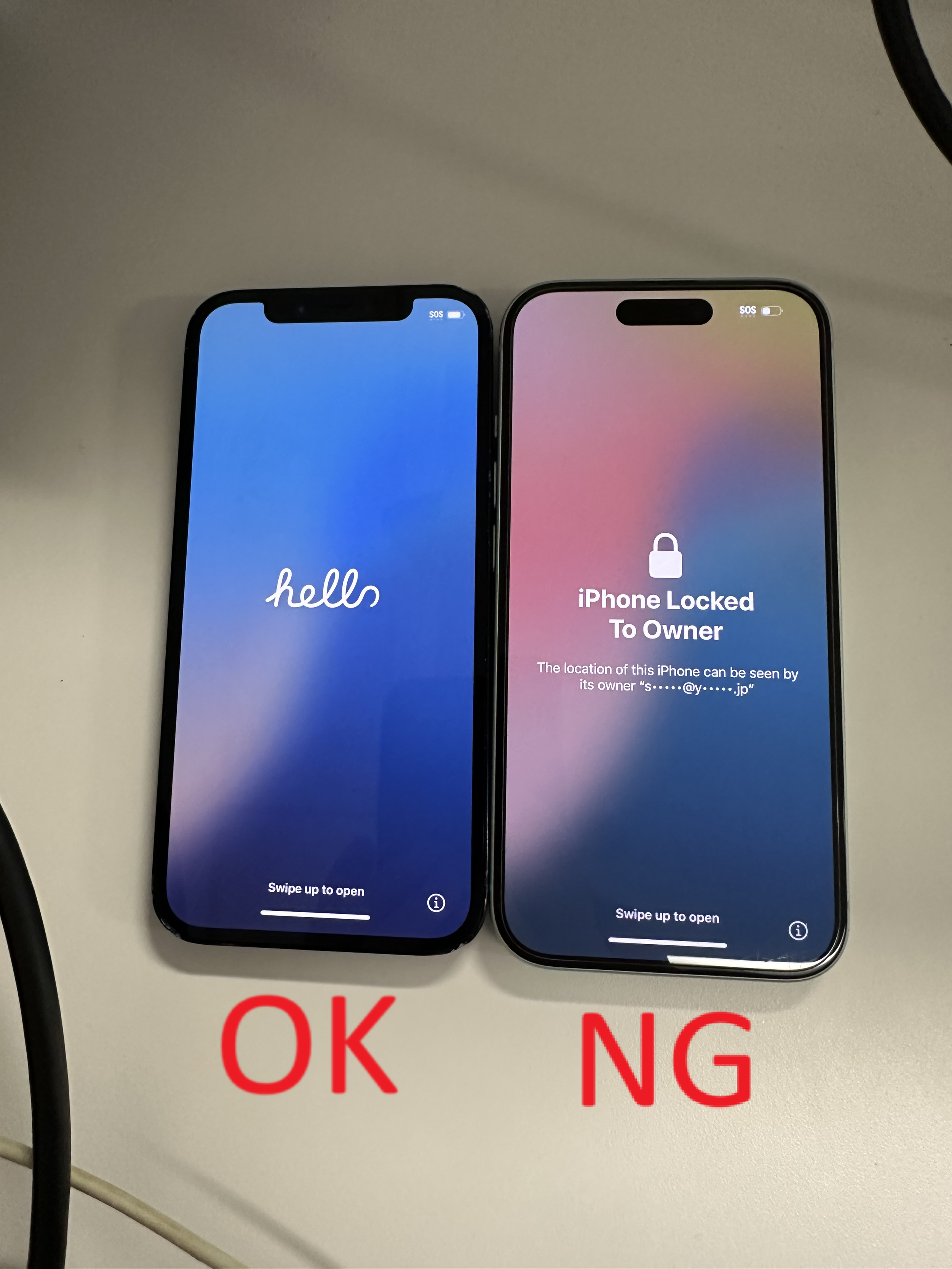
*Device must be as shown on the left (iOS 18.5). Anything else is not acceptable.
Remove Company Management
Do not use any remote factory reset feature to avoid Apple ID locking.
This is for SecureMobile only. If your phone is managed by another company, please contact their support.
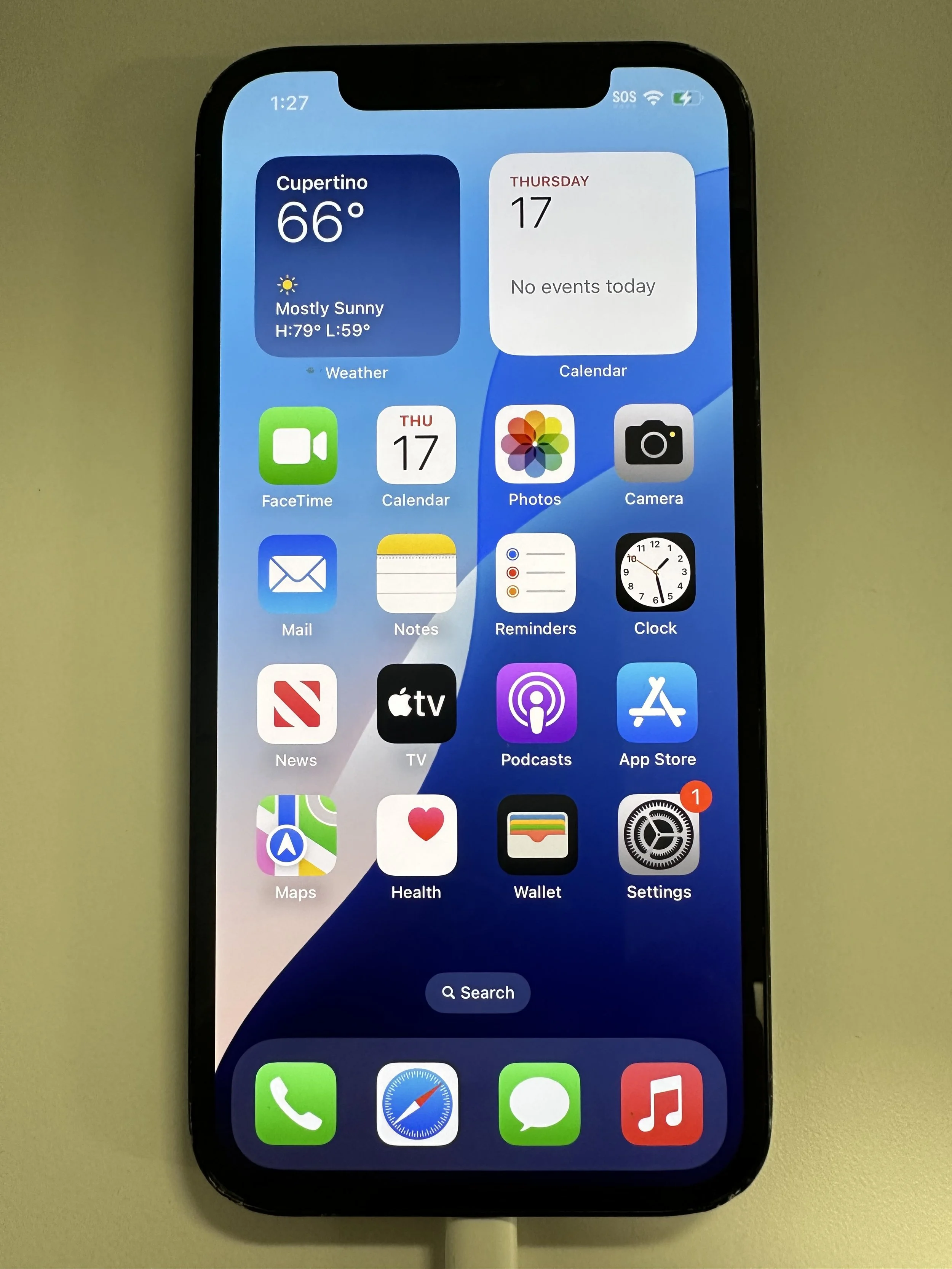
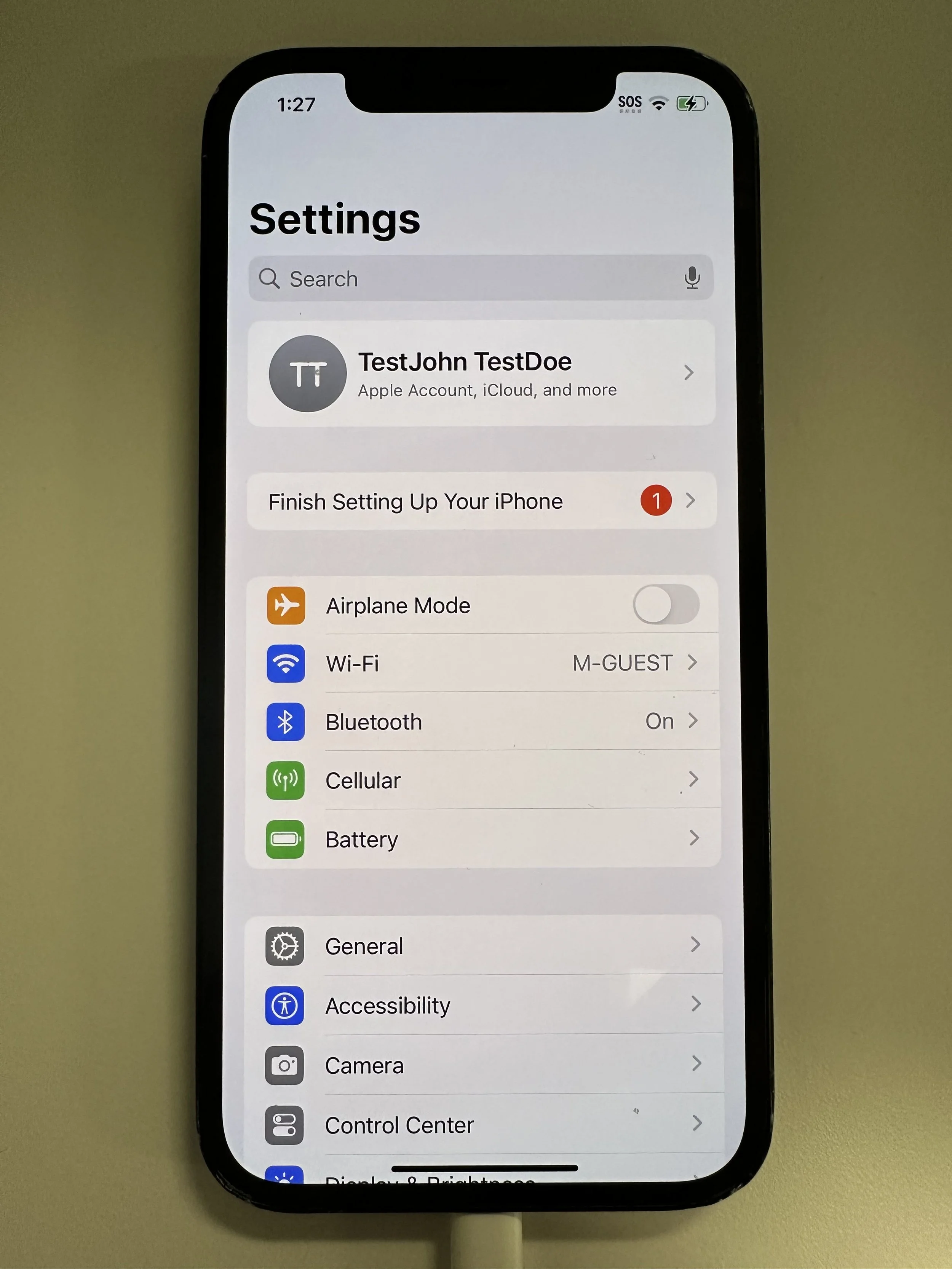
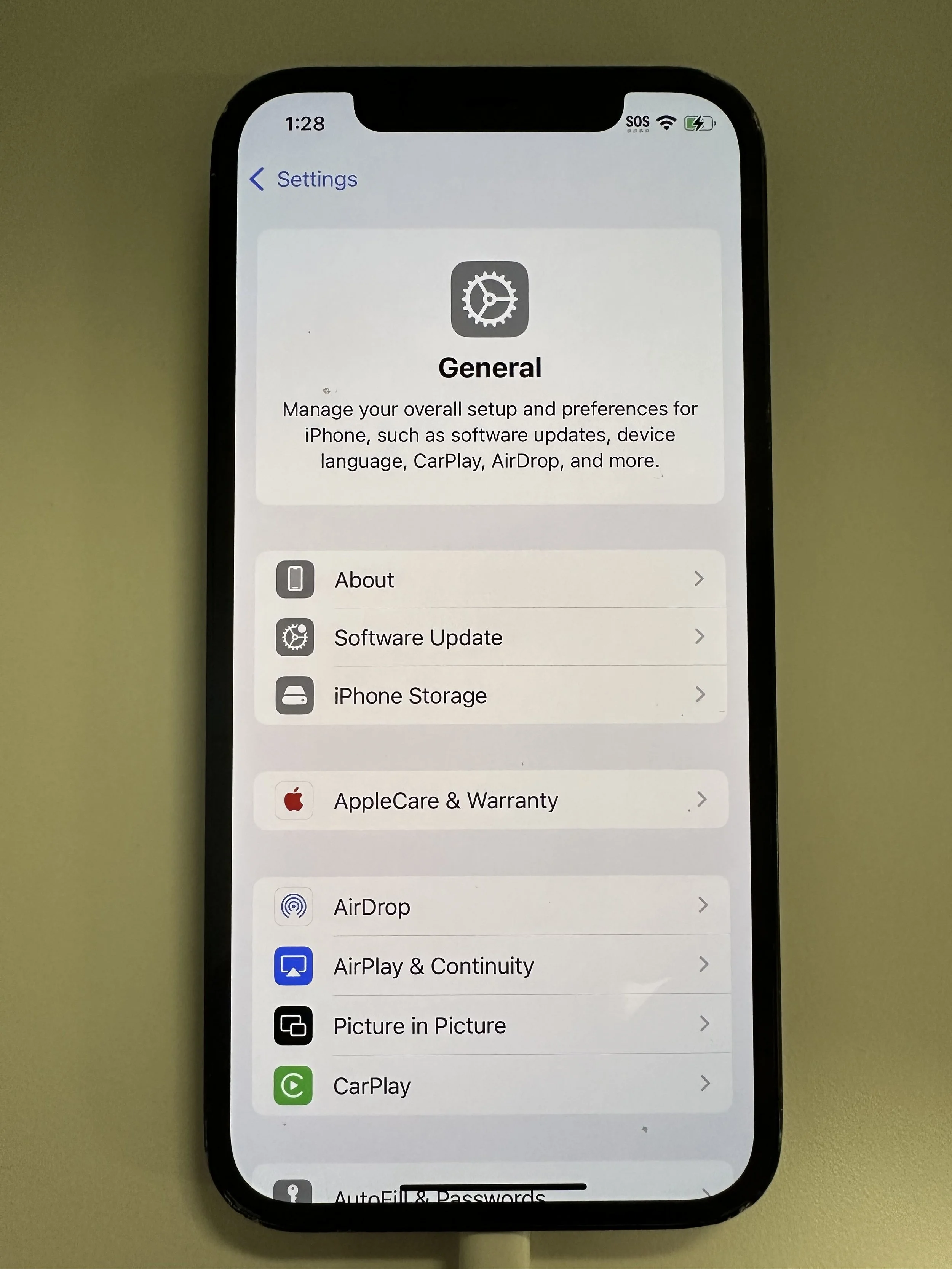
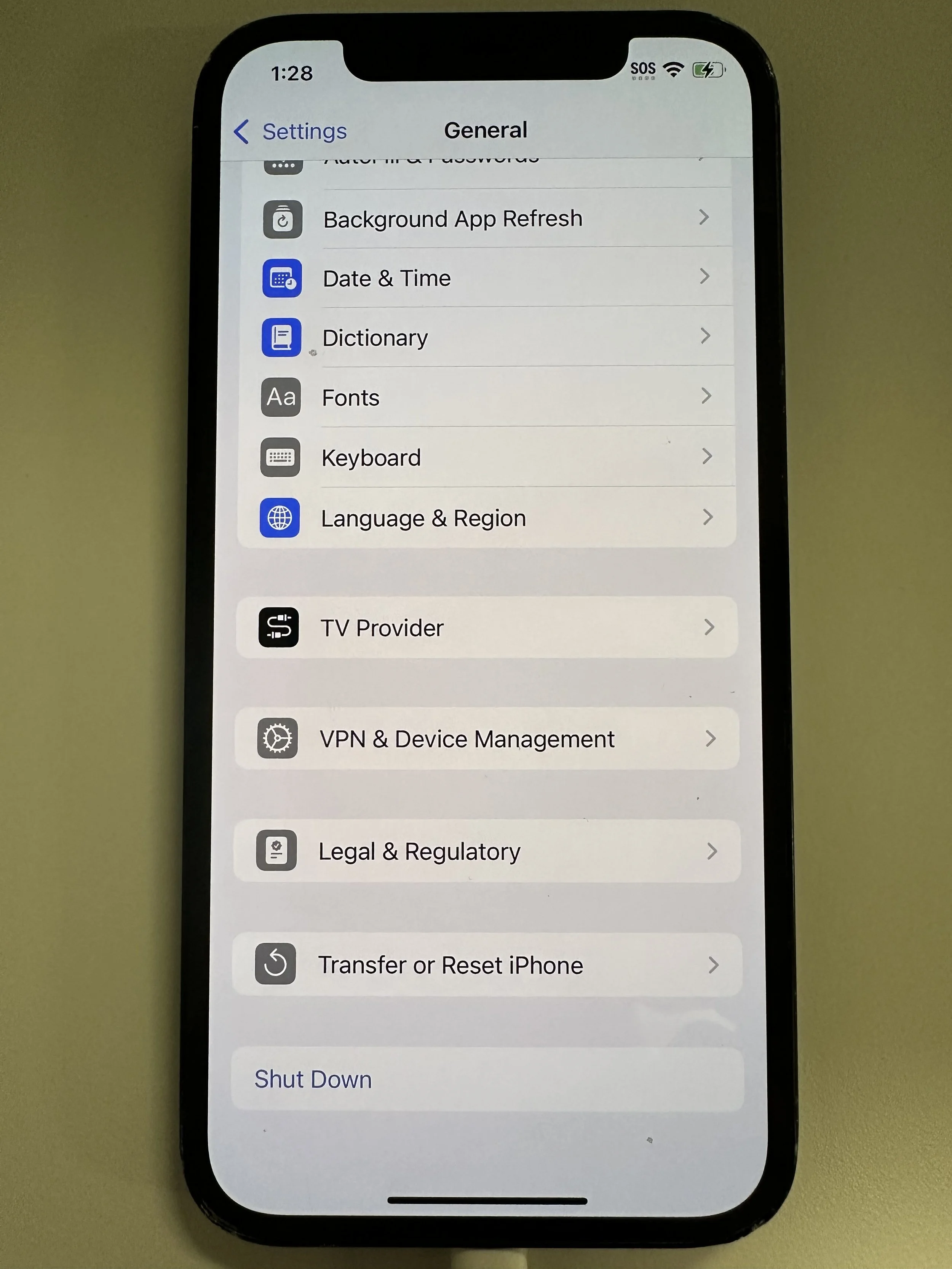
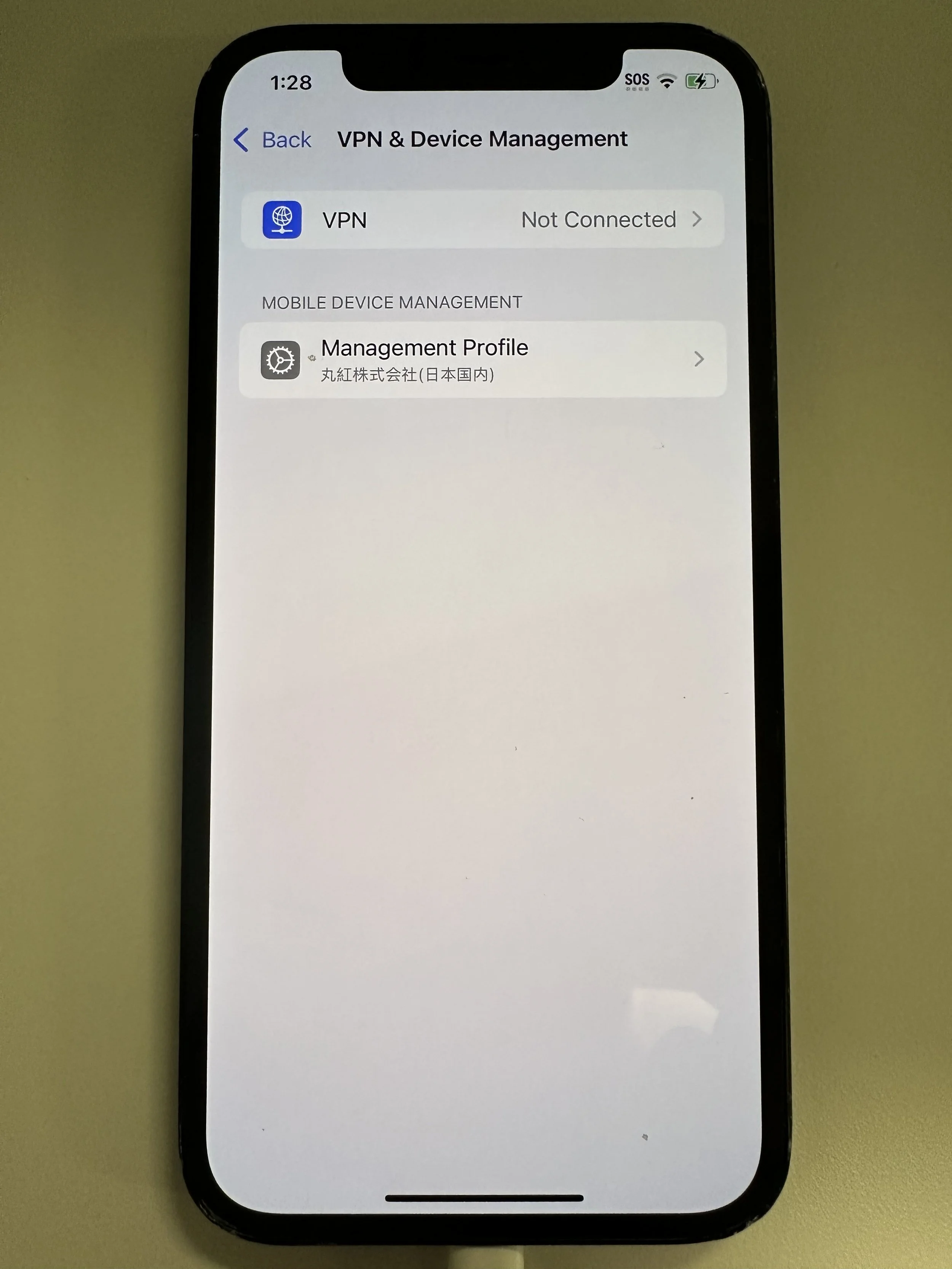
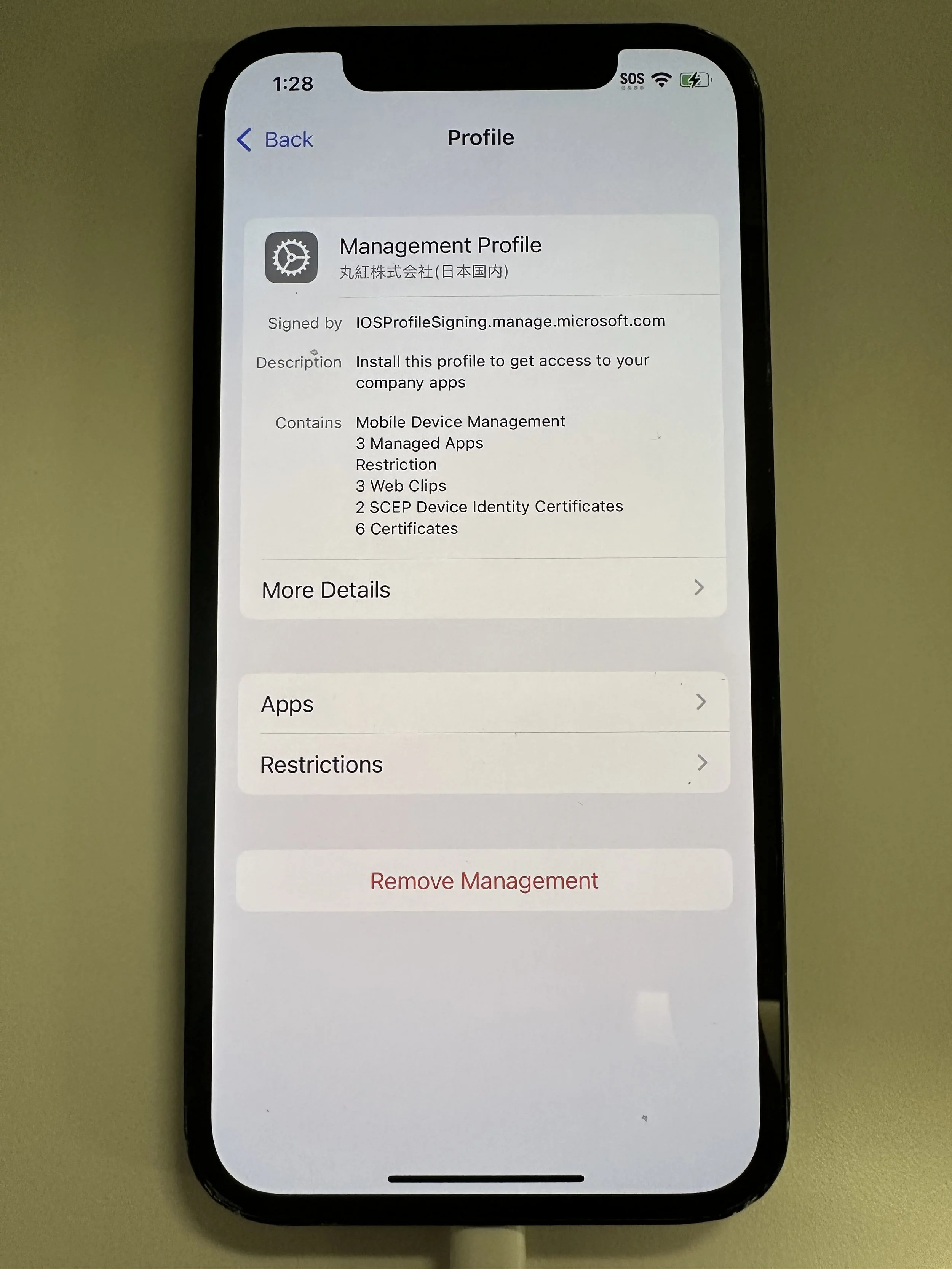
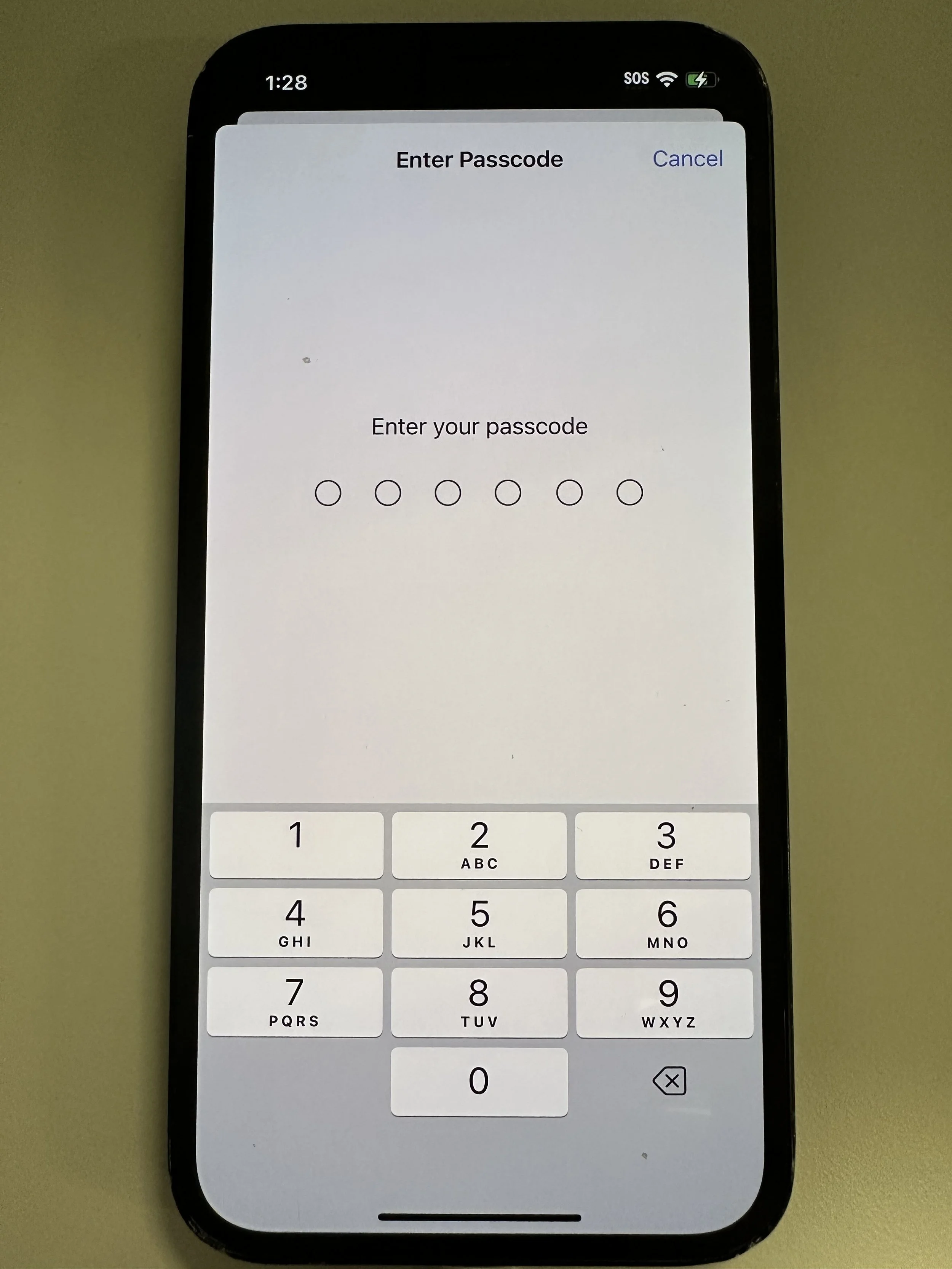
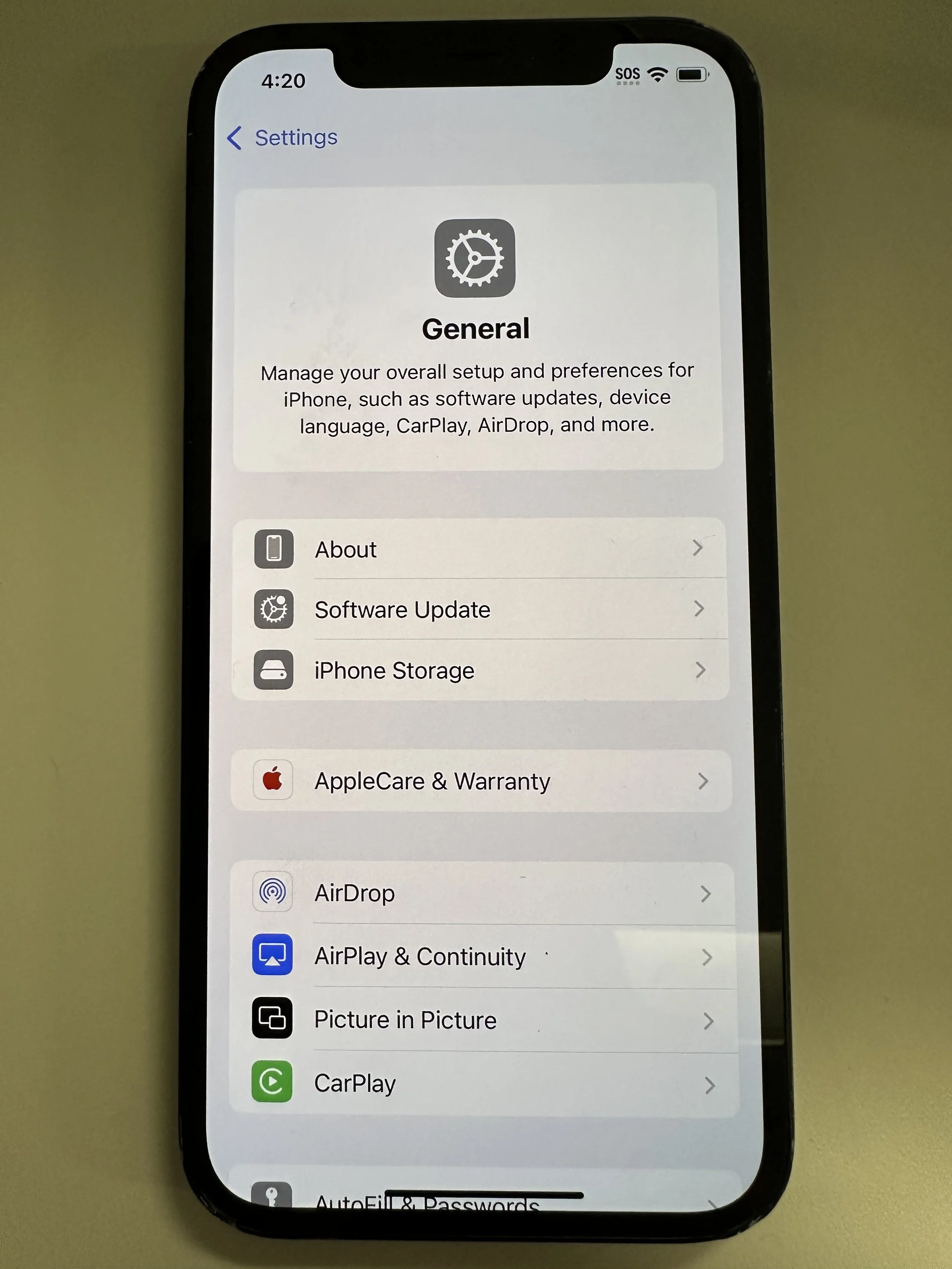
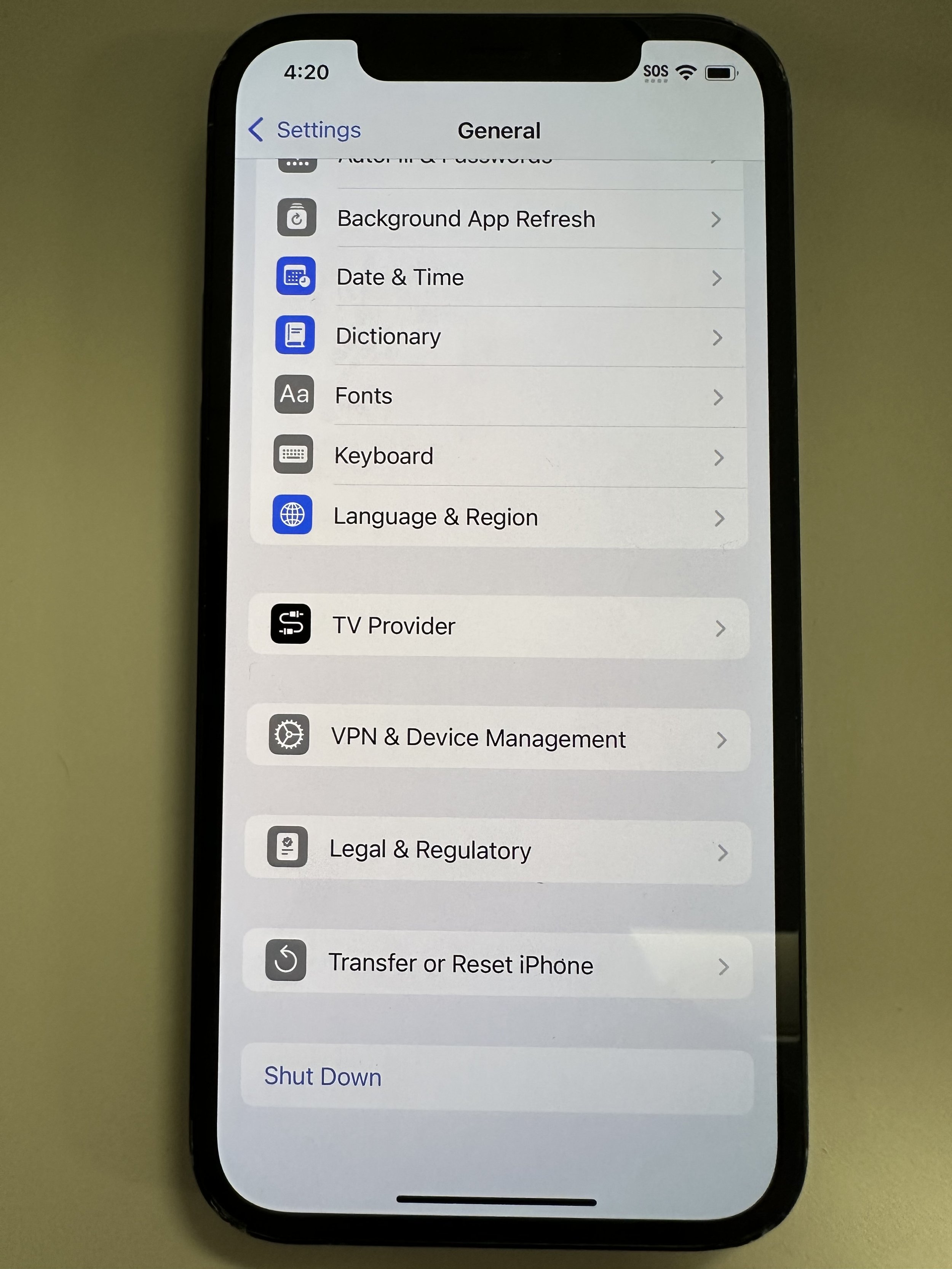
Non-Remote Factory Reset
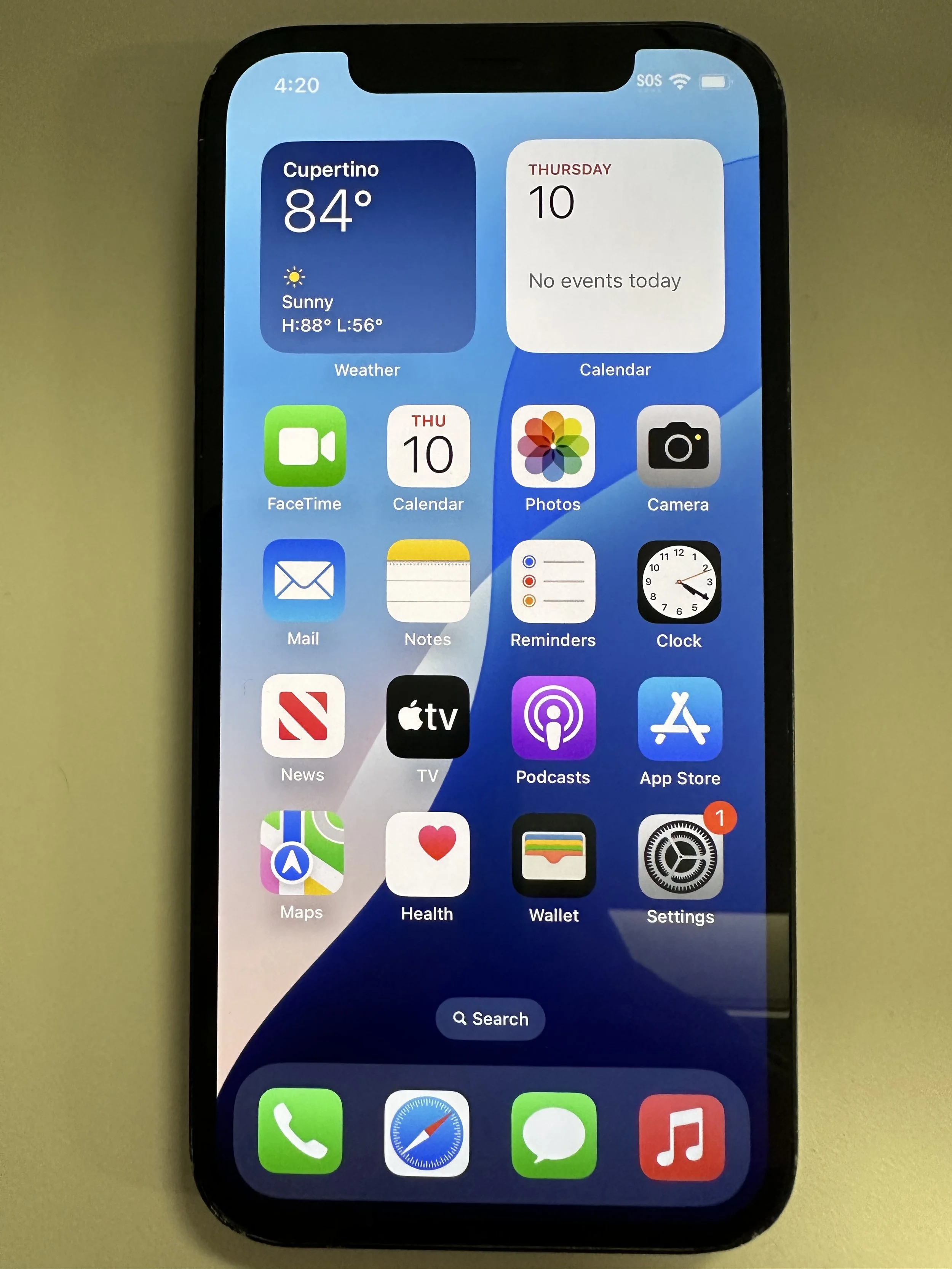
Return Physically
report to Helpdesk@marubeni.com
must be returned to/kept with a MAC employee within the US (minimize shipping). If you are not leaving, you can hold on to it or hand it over to an administrator at the nearest MAC office.
avoid international shipping (make use of carry-on opportunities instead)